v5.4.1 - App Linking bugfix
Released: 13 July 2026
Latestv5.4.1 Summary
- Fixed Background Service updating
v5.4.0 Summary
This release introduces App Linking, which lets your keyboard switch profiles automatically based on the app you have in focus. Link a profile to an app once, and Wooting Background Service handles the rest as you move between windows. We've also added a guided recovery flow for devices in Restore mode, preset bindings that let you set up Advanced Keys in one click (like Mod Tap arrows), and firmware 2.14.0 that powers the automatic profile switching.
Automatic profile switching with App Linking
Your keyboard can now switch profiles automatically based on the app you have in focus. Link a profile to an app or game once, and Wooting Background Service will tell your keyboard which profile to load as you move between windows.
How to set it up:
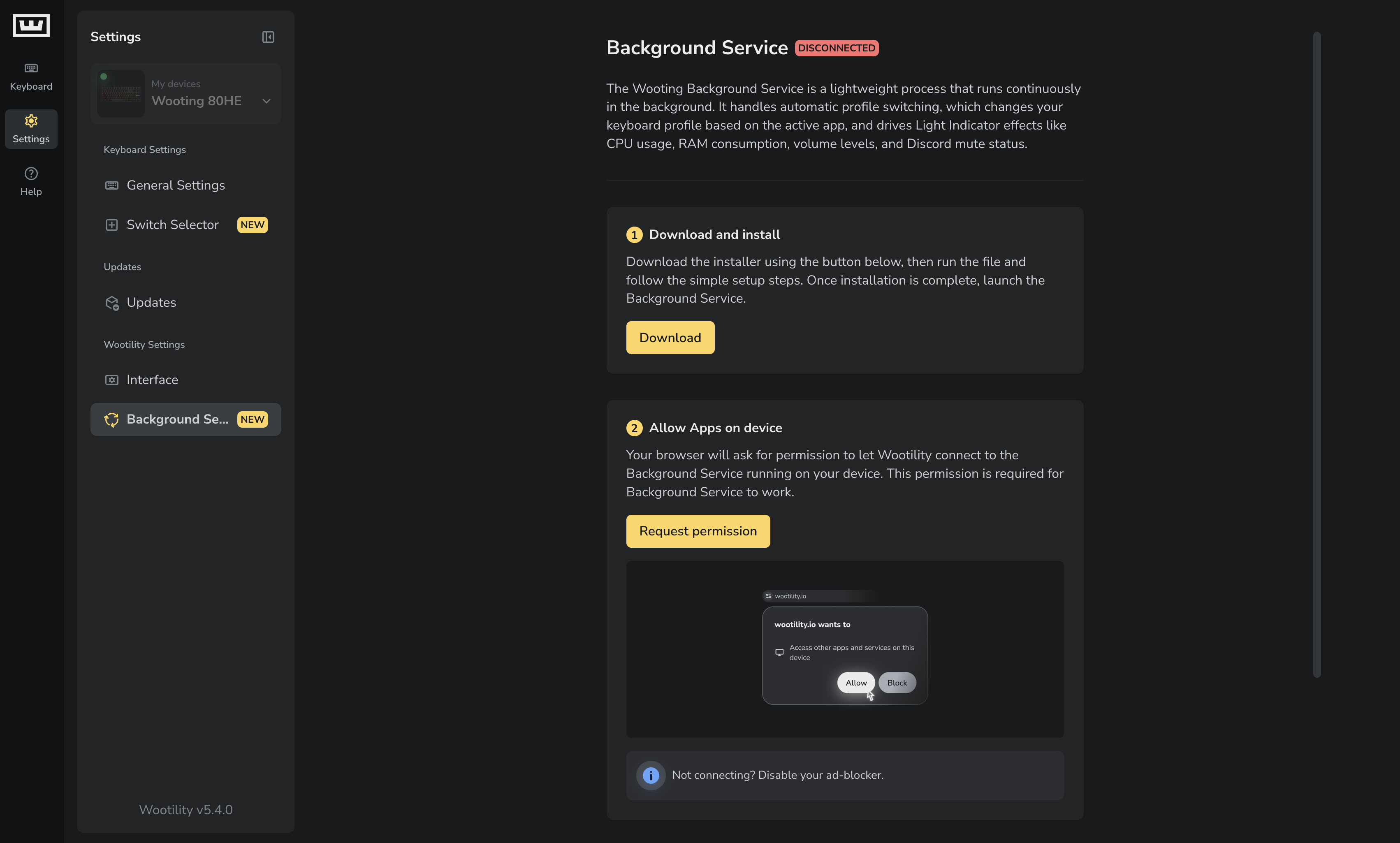
- Go to Settings → Background Service and install the Wooting Background Service. If you're using Wootility in a browser, grant the required permissions when prompted.
- Once the Wooting Background Service is running, go to Keyboard → My Profiles tab, drag and drop a profile into the Linked Profiles section, and link the app(s) you want to that profile. You can link up to 8 apps per profile.
- Launch any of the linked apps and your keyboard will switch profiles automatically.
You can use Mode and Cycle keys with linked profiles. Mode switches between a linked profile and the last non-linked profile you used, while Cycle goes through all profiles in order (P1, P2, P3, P4, linked, P1, and so on).
Wooting Background Service needs to be running for App Linking to work, but Wootility itself doesn't, open it only when you want to edit profiles or change your linked apps.
Guided flow for devices in Restore mode
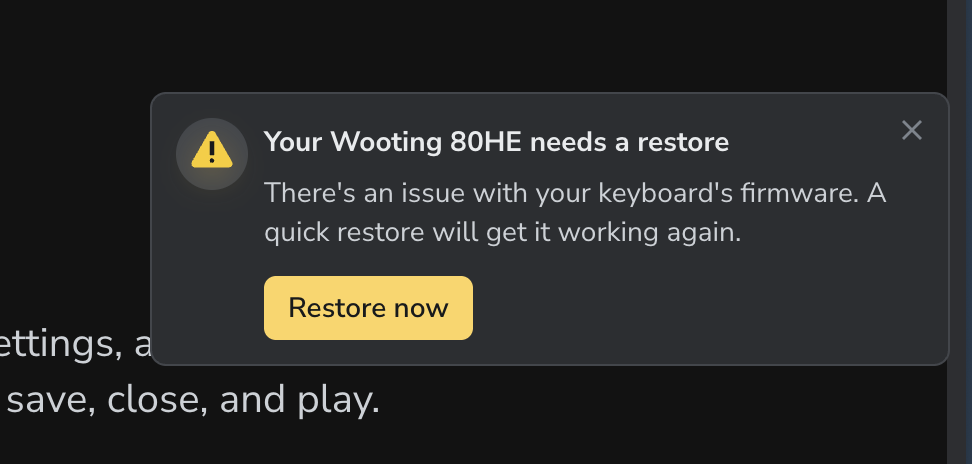
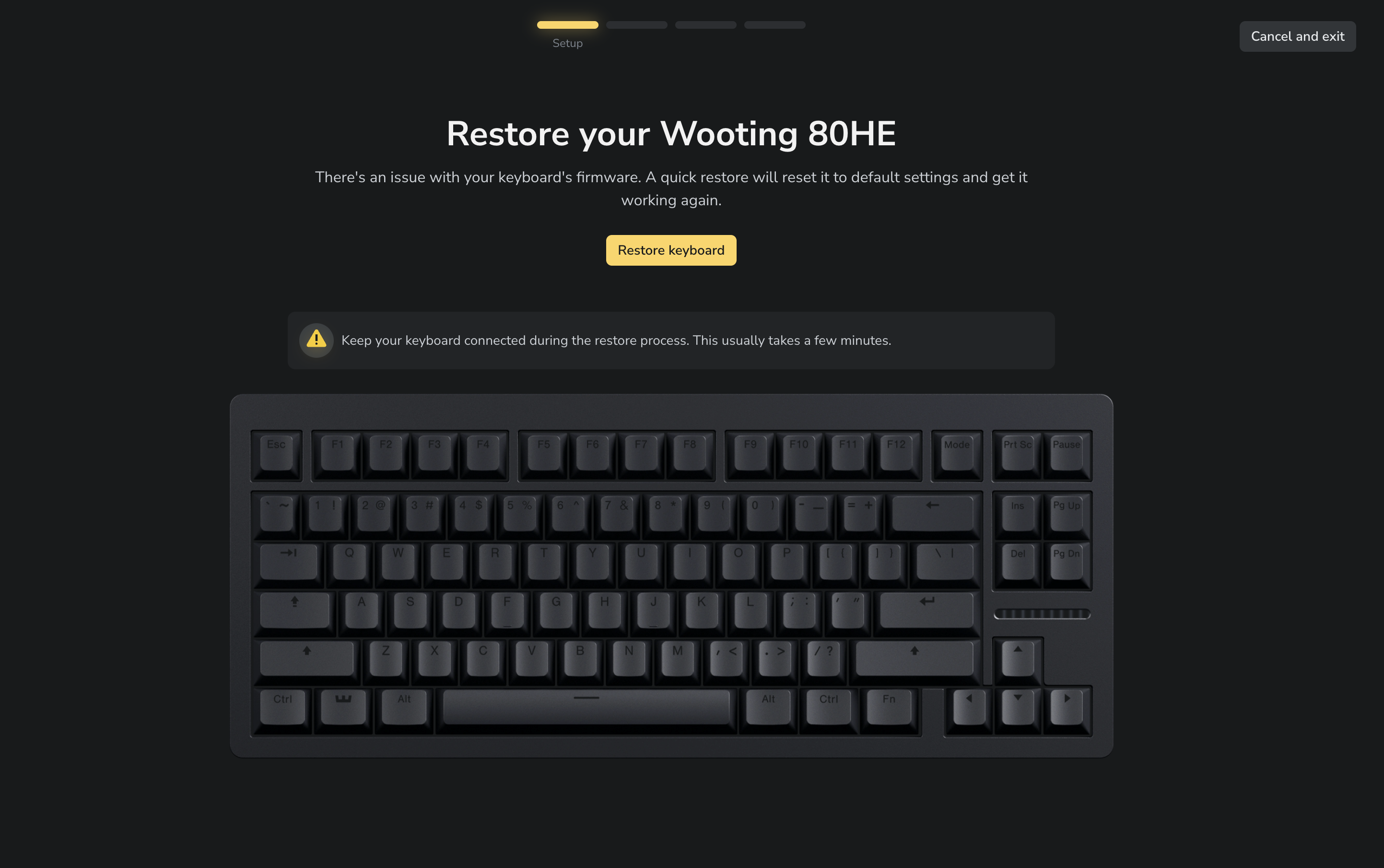
If your device ends up in Restore mode, Wootility now detects that and walks you through recovering it. The firmware update and restore screens give clearer guidance on reconnecting, granting permissions, retrying, and getting support if something goes wrong, and improved device detection and reconnect handling make the whole process more reliable.
Your profiles are safe during a restore, too. Previously known profiles are now moved to inactive instead of being deleted, so you can get them back afterwards.
Preset bindings for Advanced Keys
Advanced Keys now come with preset bindings, so you can start from a pre-built setup instead of configuring everything from scratch. A few examples you can apply in one click:
- Mod Tap arrow keys (Wooting 60HE & 60HE v2)
- Rappy Snappy for instant strafe switching
- DKS on WASD for running in games
- Toggle to Function Layer 1
General
- [Switch Selector] Added support for the following third-party switches:
- Everglide Wukong
- Gateron Jade Air
- Gateron Jade Attraction
- Gateron Jade Delta
- Gateron Jade Dragon
- Glorious Raptor HE
- OFF Studio & TNT Six Realms HiFi
- TTC x YF x MelGeek Zero35
- TTC Lite KOM
- TTC Pro KOM
- UGAMING Mount Tai HE
- UGAMING Mount Tai GT HE
- UGAMING Berserk
- Confirmed support for ‘Sunshine Tears’ and ‘Star Kiss’ variants of Wuque Studio Diamond
- Improved firmware update reliability when Wootility is running in an out-of-focus browser tab.
- You can now move a Global Light Indicator effect straight to a profile with "Move to Profile”.
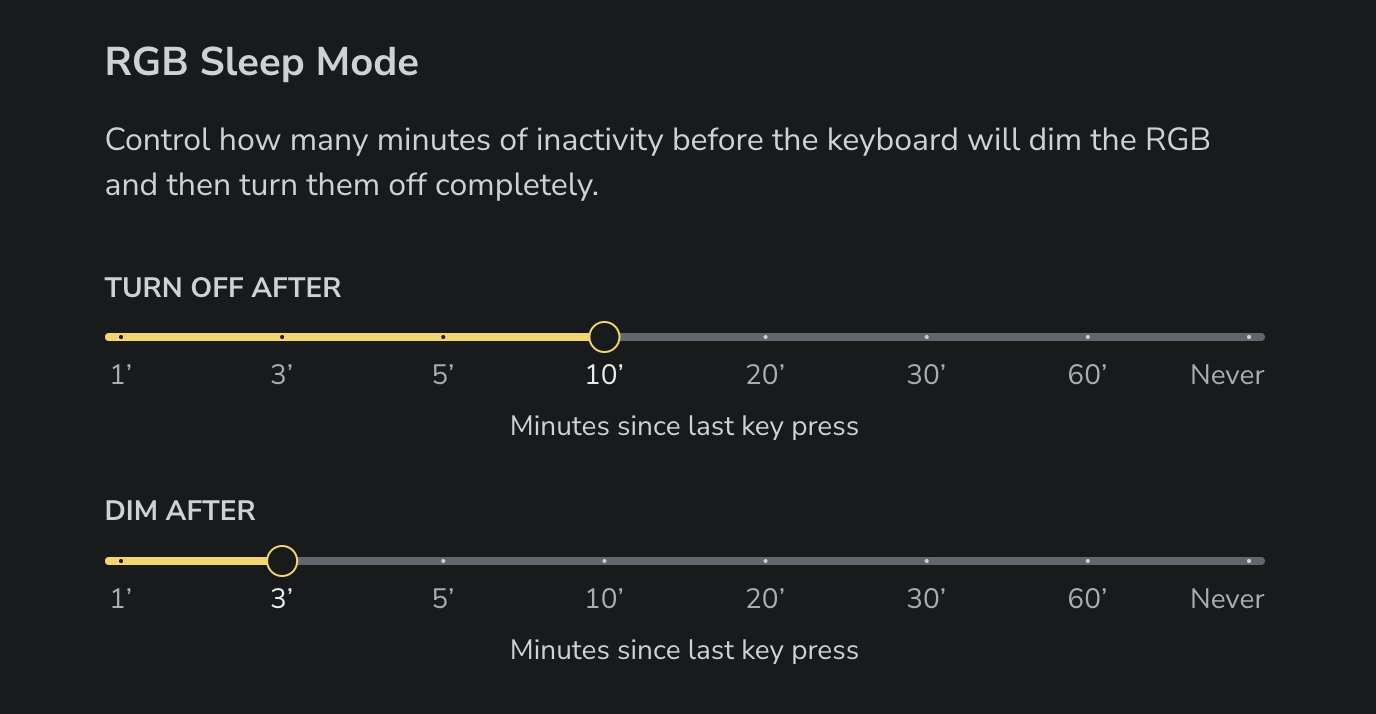
- Redesigned the RGB Sleep Mode controls. Pick from preset durations or set it to “Never” to keep RGB at all times.
- Updated Linux first-time setup instructions with improved udev rules, including Snap Chromium support.
Fixes
- [Desktop] Fixed an issue where videos would sometimes fail to display.
- [Flaretech] Fixed Visual Feedback incorrectly reflecting the configured Actuation Point.
- Text input for Actuation Point, Rapid Trigger and Switch Spacer size is no longer disabled when mixed values are selected.
- RGB effect settings you've configured are now preserved when you switch between effects, so you no longer lose your setup just by trying out a different one.
- [UwU] Removed Actuation Point configuration from DKS for digital keys.
- Fixed an issue where onboarding first-time Switch setup could be skipped for module devices if its firmware was just updated.
- Other various UI improvements and fixes.
Firmware 2.14.0
Changes since 2.13.4
- Added support for automatic profile switching.
- [ARM] Support for the following switches: Everglide Wukong, Gateron Jade Air, Gateron Jade Attraction, Gateron Jade Delta, Gateron Jade Dragon, Glorious Raptor HE, OFF Studio & TNT Six Realms HiFi, TTC x YF x MelGeek Zero35, TTC Lite KOM, TTC Pro KOM, UGAMING Mount Tai HE, UGAMING Mount Tai GT HE, UGAMING Berserk.
- Reduced the actuation point deadzone when releasing a key with Rapid Trigger disabled.
- Implemented LED anti-ghosting to prevent faint, unintended LED glow.
- Fixed flickering RGB for locked keys when switching Fn layers.
- [AVR] Optimised loading Fn Layers.
- [60HE AVR] Updated factory reset defaults.
- [AVR] Fixed a rare issue where a corrupted profile could cause the keyboard to fail to function even after a restore.
- Various minor fixes and improvements.
Interested in working on Wootility? We're looking for a frontend developer to join the team. Apply here.
Versions
Latest Version
v5.4.1 - App Linking bugfix
Released: 13 July 2026
v5.4.0 - App Linking, Guided Restore flow, Advanced Key presets
Released: 13 July 2026
v5.4.0-beta.4 - Polishing up
Released: 11 July 2026
v5.4.0-beta.3 - Switch Support & App Linking Polish
Released: 10 July 2026
v5.3.2 - Lekker Tikken Light
Released: 10 July 2026
v5.4.0-beta.2 - Guided Restore flow, Advanced Keys presets and App Linking improvements
Released: 08 July 2026
v5.4.0-beta.1 - Switch Support & Firmware Polish
Released: 06 May 2026
v5.3.1 - Switch Support & Fixes
Released: 06 May 2026
v5.4.0-beta.0 - App Linking
Released: 22 April 2026
v5.3.0 - Switch Selector, Analog Interface v2 and more
Released: 13 April 2026
v5.3.0-beta.7 - Analog Interface v2, new switches and calibration improvements
Released: 31 March 2026
From Wooting.
With love.
Product updates, news, and launches.
Company
© 2015 - 2026 Wooting. All rights reserved.