v5.4.0-beta.0 - App Linking
Released: 22 April 2026
v5.4.0-beta.0 - App Linking
Summary
This release introduces App Linking, letting your keyboard switch profiles automatically based on the app you have in focus. It also redesigns the RGB Sleep Mode controls, adds a channel-aware Wootility logo, and includes small UI improvements.
Automatic profile switching with App Linking
Your keyboard can now switch profiles automatically based on the app you have in focus. Link a profile to an app or game once, and Wooting Background Service will tell your keyboard which profile to load as you move between windows.
To try it:
- Update your keyboard to 2.14.0-beta.1 firmware.
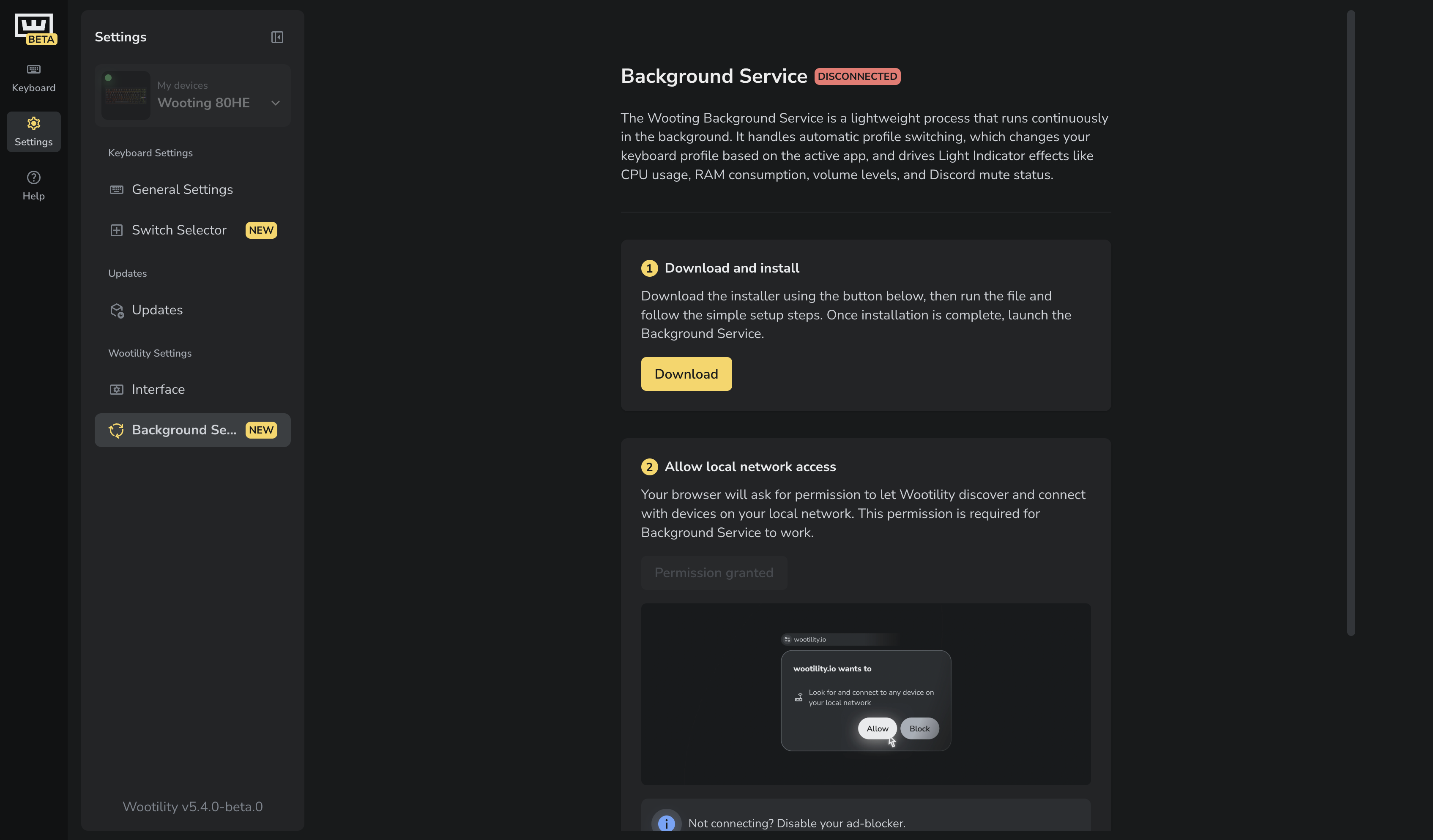
- Go to Settings → Background Service and install the beta version of Wooting Background Service. If you're using Wootility in a browser, grant the required permissions when prompted.
- Open the My Profiles tab, drag and drop a profile into the Linked Profiles section, and link the app(s) you want to that profile. You can link up to 8 apps per profile.
- Launch any of the linked apps and your keyboard will switch profiles automatically.
You can use Mode and Cycle keys with linked profiles. Mode switches between a linked profile and the last non-linked profile you used, while Cycle goes through all profiles in order (P1, P2, P3, P4, linked, P1, and so on).
Wooting Background Service needs to be running for App Linking to work, but Wootility itself doesn't, open it only when you want to edit profiles or change your linked apps.
General
- You can now edit a profile directly from the profile icon.
- Wooting logo is now channel-aware. It indicates when you're on the beta release of Wootility.
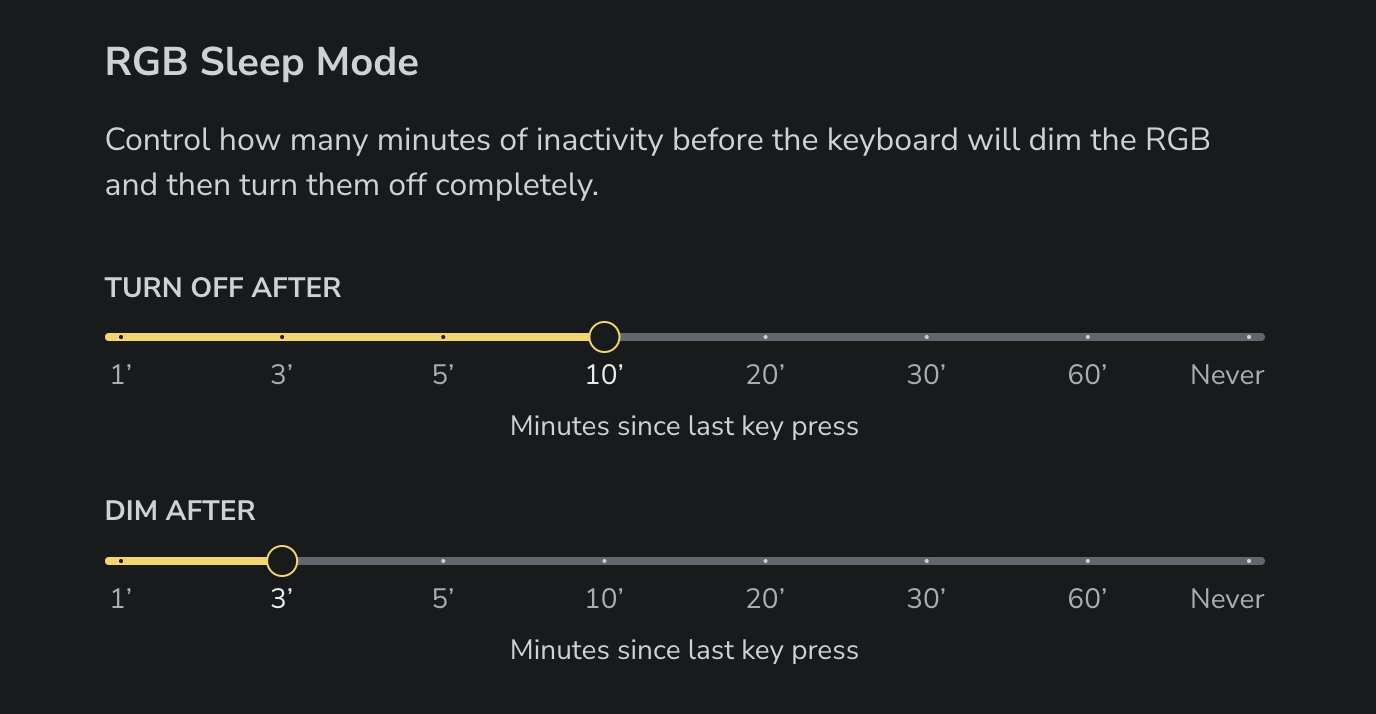
- Redesigned the RGB Sleep Mode controls. Pick from preset durations or set it to “Never” to keep RGB at all times.
- Various small UI tweaks and improvements.
Firmware 2.14.0-beta.1
- Support for automatic profile switching.
Interested in working on Wootility? We're looking for a frontend developer to join the team. Apply here
Versions
Latest Version
5.3.0 - Switch Selector, Analog Interface v2 and more
Released: 13 April 2026
v5.4.0-beta.0 - App Linking
Released: 22 April 2026
v5.3.0-beta.7 - Analog Interface v2, new switches and calibration improvements
Released: 31 March 2026
v5.3.0-beta.6 - New third-party switches, actuation point precision and bug fixes
Released: 06 March 2026
v5.2.5 - Fixes and improvements
Released: 03 March 2026
v5.3.0-beta.5 - Improvements and fixes
Released: 25 February 2026
v5.2.4 - 80HE TenZ Takeover
Released: 30 January 2026
v5.3.0-beta.4 - RGB Improvements & 80HE TenZ Takeover
Released: 29 January 2026
v5.2.3
Released: 19 January 2026
v5.3.0-beta.3 - Switches galore
Released: 15 January 2026
v5.3.0-beta.2 - Gamepad polling rate beta
Released: 24 December 2025
From Wooting.
With love.
Product updates, news, and launches.
Help & Account
Company
© 2015 - 2026 Wooting. All rights reserved.