Latest
Released: 09 December 2025
v5.2 Summary
This update introduces Background Service for real-time system monitoring on Light Indicator (80HE only) and Virtual Clipboard for faster layer configuration. The release also includes guided Device Onboarding, device renaming, and various UI improvements and fixes.
Windows 7/8/8.1 is no longer supported
Starting with this version 5.2.1, Wootility requires Windows 10 or newer. This follows the deprecation of older Windows versions in Chromium and Electron in 2023.
[80HE] Introducing Background Service
A new way for your keyboard to respond to what’s happening on your computer in real time. Once enabled, your keyboard can display live information through Light Indicator effects, showing your CPU usage, volume levels, and even Discord status (mute and notifications).
To get started, enable Background Service in Settings → Background Service tab, then head to Light Indicator tab and choose one of the preset effects or create your own.
We’ll be expanding Background Service capabilities in future updates, including profile linking. Your keyboard will be able to detect when you launch a game or an app and switch to the linked profile automatically giving you the perfect setup, right away.
Virtual Clipboard - copy paste settings between layers
Configuring multiple layers just got much faster. You can now copy and paste settings between layers in RGB Settings, Remap and Advanced Keys tabs - even across profiles and devices.
Find the layer you want to work with and click the three-dot menu to copy, paste or duplicate. You can also use familiar shortcuts: Ctrl/Cmd + C to copy, Ctrl/Cmd + V to paste between layers, and Ctrl/Cmd + D to duplicate instantly.
We’re planning to expand Virtual Clipboard functionality even further. Let us know on Wooting Discord what you’d like to copy and paste next - your feedback helps us decide what comes next.
First-time setup with Device Onboarding
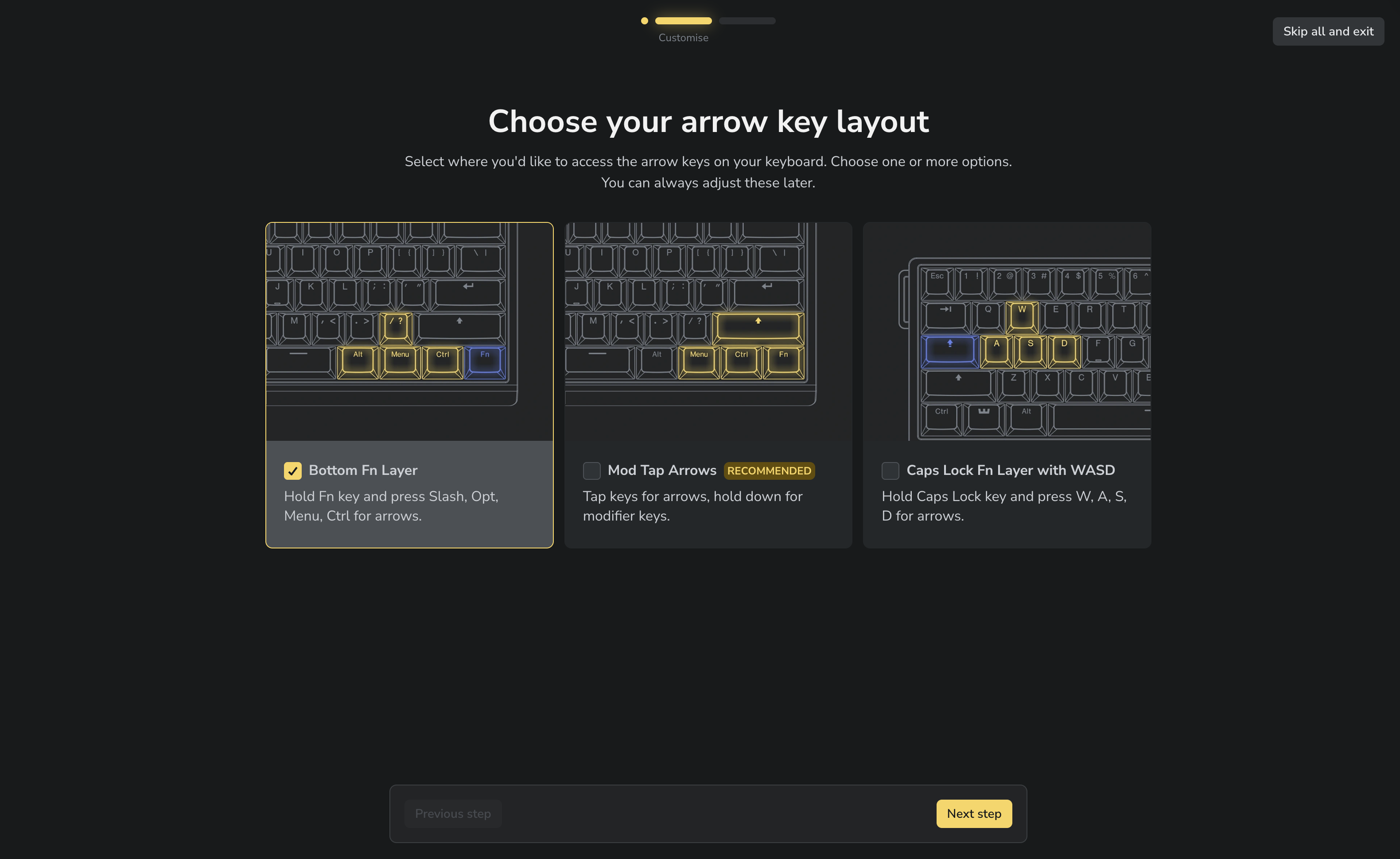
We know our keyboards have a lot of features and getting everything set up the way you want can feel overwhelming. That’s why we’ve created Device Onboarding, a guided setup that helps you configure some of the key features right from the start.
When you connect your keyboard for the first time, you can quickly set up your switches (beta only), Background Service, and arrow key layout (60HE models only).
[ARM] Switch Selector remains in beta
Switch Selector continues to be available as a beta feature. We’re gathering feedback and refining the experience before bringing it to stable.
If you’d like to try it, go to https://beta.wootility.io/ and update your keyboard to the new v2.13 firmware through the Updates tab.
General
- Updated Electron v37 - The desktop app now works exactly like the web version for a consistent experience across platforms. This update also fixes performance issues that affected Electron apps on macOS 26. Windows 10 or newer is now required.
- [ARM] Device renaming - You can give your keyboards custom names that are stored directly on the device, so they stay consistent across all your PCs.
- Device picker added to Settings navigation - You can now switch between the devices directly from the Settings interface.
- Colour picker improvements - We added a ‘No colour’ option to turn off lighting for specific keys or individual Light Indicator LEDs.
Fixes
- Hovering over an Advanced Key now correctly highlights the key it affects and shows which layer it’s placed on.
- [UwU] Digital keys no longer show hover effects where configuration isn’t possible.
- Fixed RGB, Remap and Advanced Keys layers resetting to the Main Layer when changing tabs.
- Added a clear warning message when search in Remap returns no results.
- Light Indicator UI refinements.
- Fixed UX issues in Rapid Trigger tab.
- Fixed "Open Error log" button not working.
- Fixed issue where profiles could be shared and end up saying it was made for the Wooting Two HE when imported.
- Fixed crash when re-opening Desktop app after just closing the window.
- Refined Background Service permission instructions.
- Various minor UI fixes.
Released: 09 December 2025
Released: 09 December 2025
Released: 05 December 2025
Released: 27 November 2025
Released: 27 November 2025
Released: 16 October 2025
Released: 02 October 2025
Released: 03 September 2025
Released: 26 August 2025
Released: 15 August 2025
Released: 23 July 2025
© 2015 - 2025 Wooting B.V. All rights reserved.