v5.5.0-beta.0 - Remap v2: shortcuts, symbols, integrations and more
已发布: 2026年11月19日
Summary
This release introduces Remap v2, a rebuilt Remap tab with a new binding picker and new kinds of bindings: shortcuts, symbols, emojis, mouse movement and integrations. Global Remap is now its own remap that profiles link to, no longer tied to your first profile. It also adds an in-app Changelog, the Flames RGB effect and various UI improvements and fixes.
[ARM] Remap v2
The Remap tab has been redesigned around a new binding picker. Bindings are grouped into categories you can browse or search, and there is a lot more you can put on a key:
- Shortcuts: record your own key combination or pick a preset. Presets follow your operating system and keyboard layout.
- Mouse: scroll and move the cursor from your keyboard, with adjustable speed.
- Symbols and Emojis: type characters your keyboard layout can't reach, like ©, € or 👍, or add your own custom symbols.
- Integrations: control other apps straight from a key, like muting yourself in Discord or switching scenes in OBS.
Symbols, Emojis and Integrations only work while Wooting Background Service is running (Wootility itself doesn't need to be open).
Global Remap and live preview
Global Remap is now stored separately from your profiles, and no longer uses the first profile's remap. Link any profile to it to share the same key bindings. Editing a linked profile edits the shared remap, and you can unlink any profile to give it its own remap.
You can also try out new bindings on your keyboard before saving them. If you don’t like a change, discard it and your saved setup stays as it was.
To try it
- Update your keyboard to 2.15.0-beta.0 firmware.
- Go to Settings → Background Service Settings and install the latest Wooting Background Service. If you're using Wootility in a browser, grant the required permissions when prompted.
- Open the Remap tab and find a binding by browsing the categories or search.
- (Optional) Create your own shortcut or symbol using the ‘+ Add new’ button. You can edit it later by clicking it in the binding picker.
- Drag a binding onto a key.
Setting up Integrations
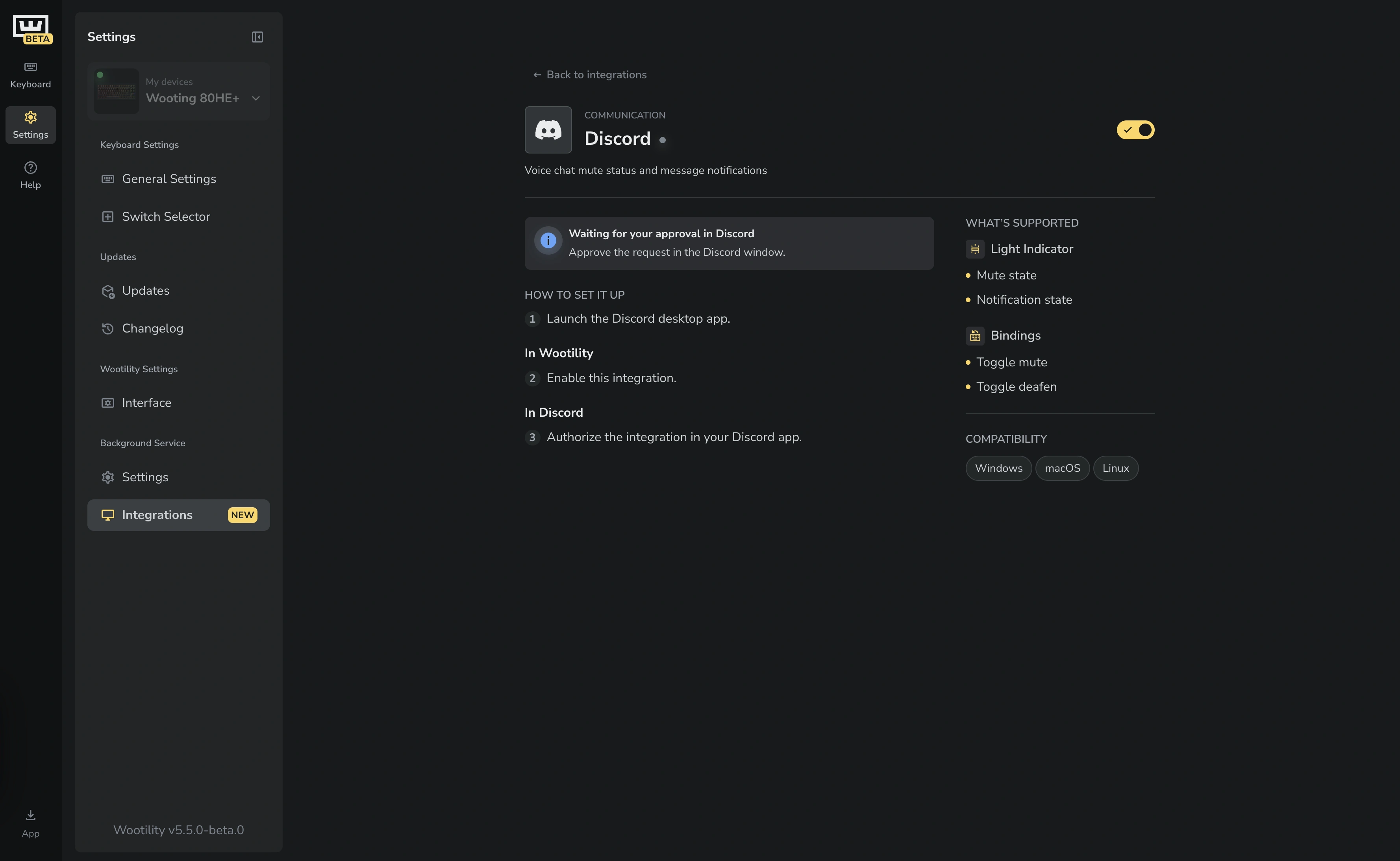
- Make sure Wooting Background Service is running.
- Go to Settings → Background Service → Integrations and open the integration you want to use.
- Enable it. Some integrations need a few extra setup steps, which are shown under How to set it up.
- Once the status shows All running well, go back to the Remap tab. The integration's actions now appear under Integrations in the binding picker, ready to drag onto a key.
Changelog in Wootility
You can now read release notes like this one without leaving Wootility. Open Settings → Changelog to see what's new in each release.
- Search for a feature or fix, or filter by channel to see only stable or beta releases.
- Filter by tags to find changes for your keyboard, platform or type of update.
App Linking improvements
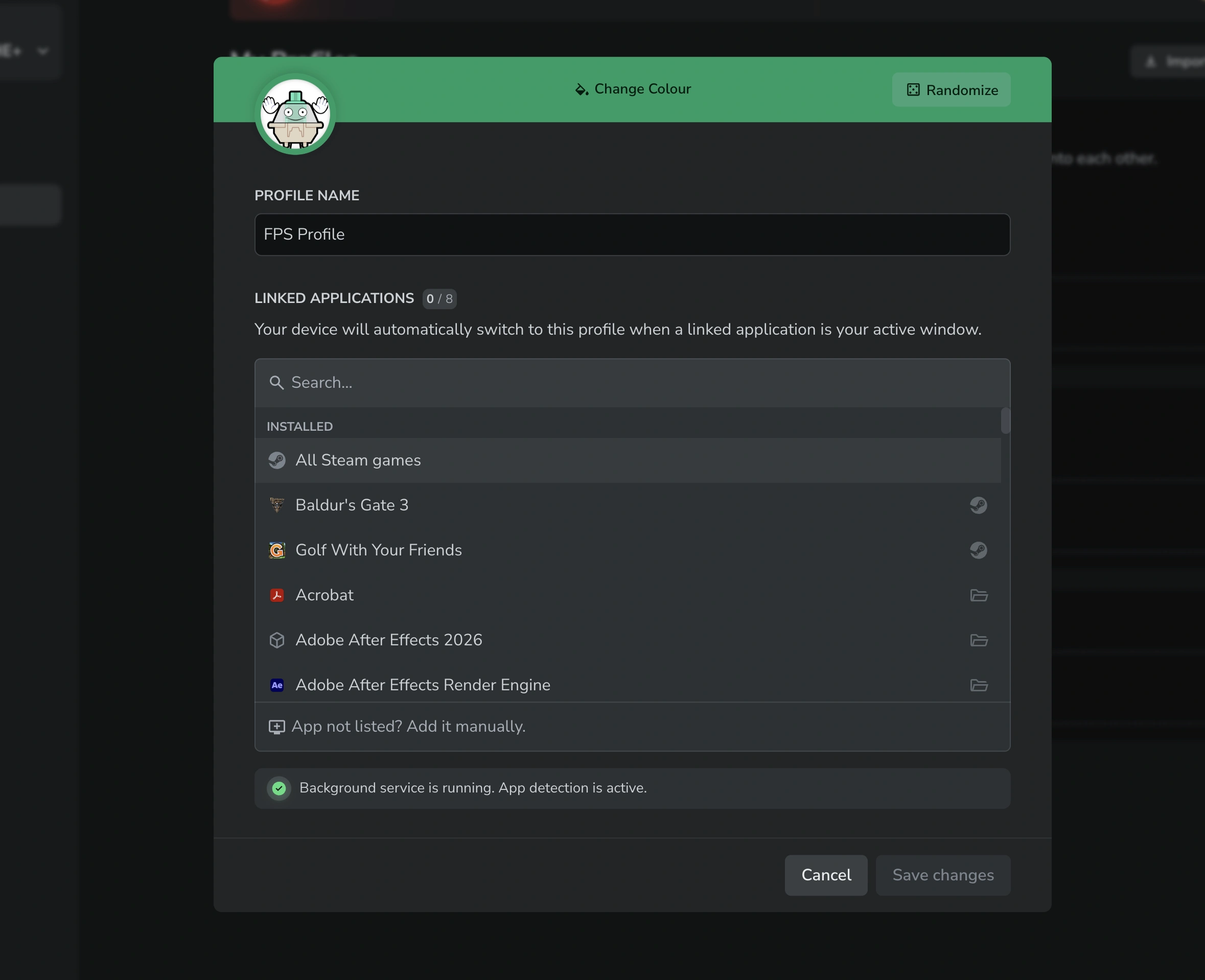
- Link a profile to all your Steam games at once, so you don't have to add every game separately.
- [Linux] App Linking now works on most Wayland desktops, including KDE Plasma, GNOME, COSMIC, Hyprland, Sway, niri and other wlroots-based compositors.
- [Linux] Flatpak and Snap apps, and Steam games running through Proton, are now detected properly.
General
- Added a Background Service Integrations page, where you can set up and manage integrations and see what each one supports.
- [ARM] Added the Flames RGB effect.
- The Actuation Point keyboard display now shows all keys you press at once.
- You can now pick a test build on the Restore page, and the test build picker stays open while you choose.
- Key labels and shortcut mappings now refresh when returning to Wootility after changing your operating system’s keyboard layout.
- Modifier key labels now show as Ctrl, Shift and Alt instead of L-Ctrl and R-Shift, and as ⌃ ⌥ ⇧ ⌘ symbols on macOS. Left or right is shown with a small indicator in the corner and in the tooltip.
- The keyboard preview now shows the lighting your keyboard displays during firmware update and restore.
- Quick Settings now displays the keyboard’s active Fn layer as you switch layers.
- Added a button to randomize a profile's color, and improved text contrast on profile colors.
- Added a searchable language selector.
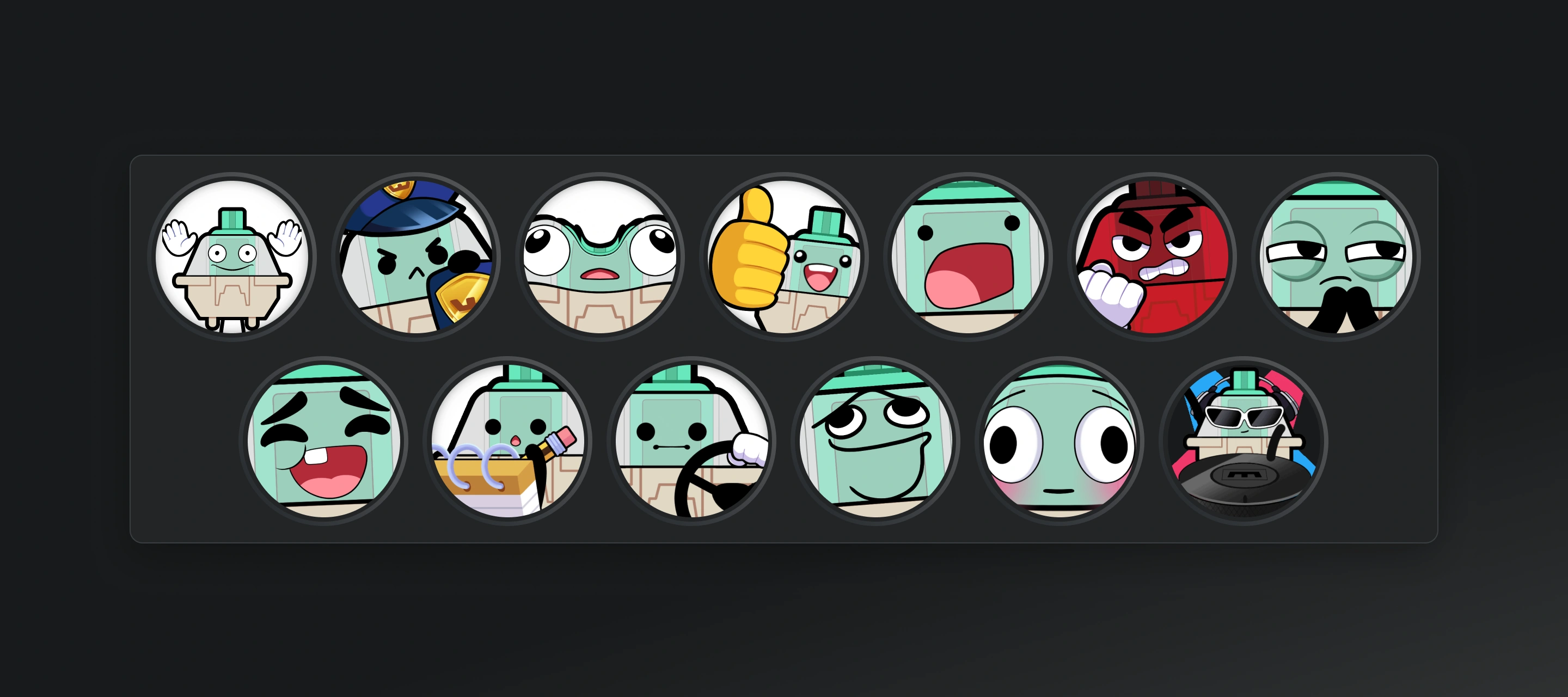
- New set of profile icons with Switchy.
- Toggle Key can now use a custom RGB overlay color.
- [Linux] Onboarding now includes a one-line command that sets up udev rules for you.
- Improved Ctrl/Cmd-drag copying in My Profiles, including for linked profiles.
- Long profile names and other truncated labels now scroll to reveal their full text.
- Improved the Advanced Keys layout with cards and better scrolling.
- Wootility now asks to save unsaved changes before you switch gamepad mode, since switching restarts the keyboard.
- Wootility no longer lets you leave the Troubleshoot tab while a firmware restore is running.
- Added osu! to the warning about games that prohibit Snappy Tappy (SOCD).
- Onboarding now scrolls and fits better in small windows.
- Refreshed the Interface and Firmware Updates settings pages.
- Added a "skip navigation" link for keyboard users.
- [Web] Added a download dialog in the sidebar with links to Wootility for desktop.
Fixes
- Fixed the selected profile not being kept after a soft reset.
- Fixed global device settings not being saved when leaving the Settings page.
- Fixed copy, cut and paste shortcuts copying layers instead of text while typing in a text field.
- [80HE] Fixed incorrect default profiles.
- Fixed RGB and Advanced Keys settings staying on Fn layers that no longer exist after switching a profile to a remap with fewer layers.
- Disconnected devices can no longer be renamed.
- [Desktop] Fixed a crash when video playback was interrupted.
- Other various UI improvements and fixes.
版本
最新版本
v5.4.2 - Wooting 80HE+ support
已发布: 2026年9月09日
v5.5.0-beta.0 - Remap v2: shortcuts, symbols, integrations and more
已发布: 2026年11月19日
v5.4.1 - App Linking bug fix
已发布: 2026年7月13日
v5.4.0 - App Linking, Guided Restore flow, Advanced Key presets
已发布: 2026年7月13日
v5.4.0-beta.4 - Polishing up
已发布: 2026年7月11日
v5.4.0-beta.3 - Switch Support & App Linking Polish
已发布: 2026年7月10日
v5.3.2 - Lekker Tikken Light
已发布: 2026年7月10日
v5.4.0-beta.2 - Guided Restore flow, Advanced Keys presets and App Linking improvements
已发布: 2026年7月08日
v5.4.0-beta.1 - Switch Support & Firmware Polish
已发布: 2026年5月06日
v5.3.1 - Switch Support & Fixes
已发布: 2026年5月06日
v5.4.0-beta.0 - App Linking
已发布: 2026年4月22日
来自 Wooting。
用心为你。
最新产品信息、新闻和发布。
键盘