Wooting 80HE+ Module
最終更新日: 2026年10月14日
Introduction
Welcome to the Wooting family, and congratulations on your new Wooting 80HE+ Module.
This guide will help you get ready to start playing. It only takes a few minutes, and it’s worth reading from start to finish.
Need help, want to share your setup, or just chat with other Wooting owners? Join our Discord community, where you’ll find fellow enthusiasts, helpful guides, and the latest updates.
You are hereby invited to join the Wooting Discord server!
And if you're digging your set-up, or built a cool custom Wooting, don't be shy and tweet us a sweet picture at @WootingKB.
What's inside the box?
Let's double-check if you've received the complete Wooting 80HE+ Module package.
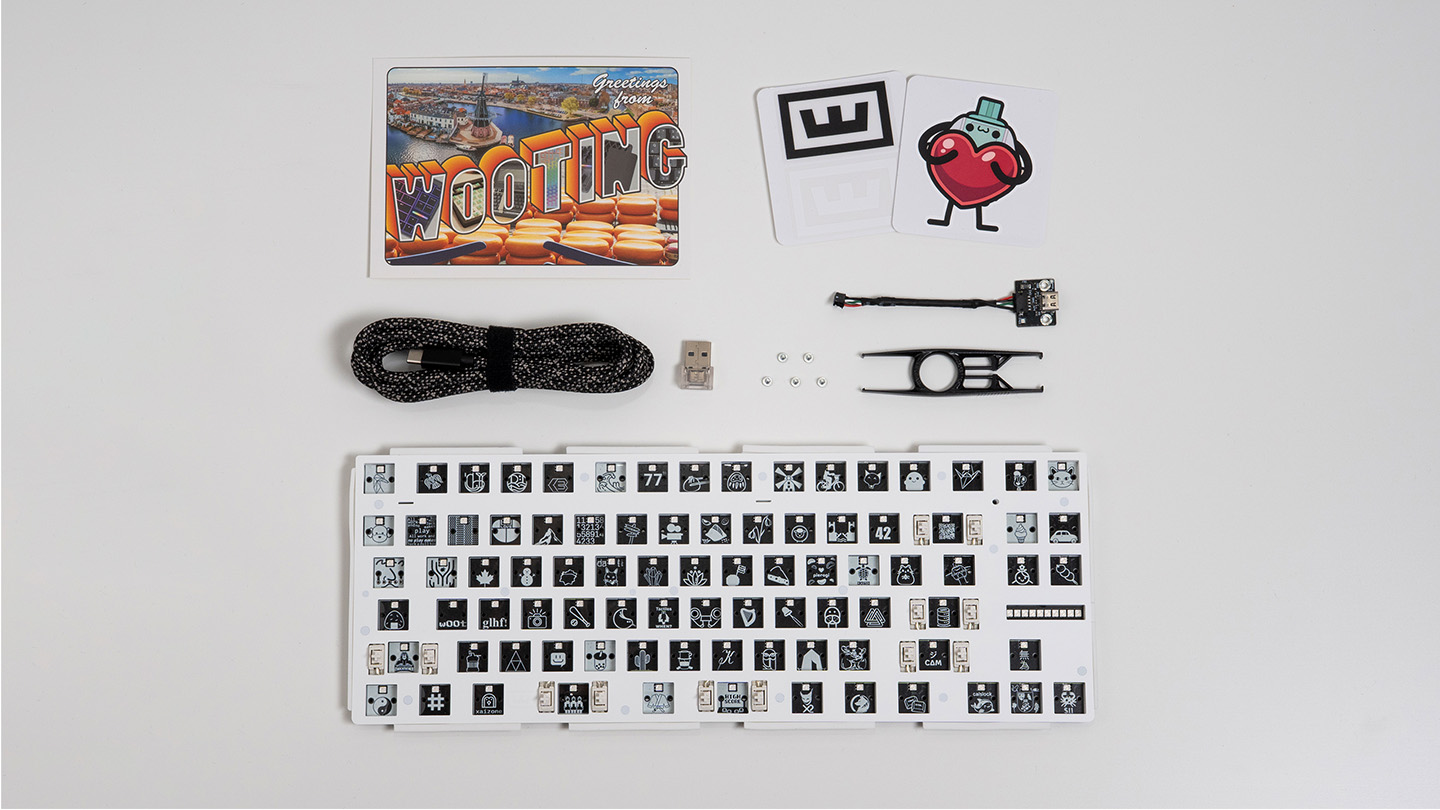
- 1 x Wooting 80HE+ Module
- 1 x USB-C daughterboard + internal cable
- 2 x Daughterboard mounting screws (M2x4mm)
- 1 x Keycap and switch puller
- 1 x USB-C to USB-C cable (2m / 6.6ft)
- 1 x Dongle USB-C (♀) to USB-A (♂)
- 3 x Spare PCBA screws (M2x4mm)
- 1 x Switch installation guide
- 1 x Postcard
- 1 x Wooting stickers
Mounting the Module
Follow the video below to install your Module into its case. If you’re using a third-party case, installation may differ, so be sure to follow the instructions provided with your case.
Installing Keycaps
Depending on the keycap set you have, installation can be as easy as transferring them straight from the blister tray onto your keyboard. Press each keycap down firmly so it sits snugly on the switch.
Below is a visual overview of the ANSI layout and all available ISO keycap languages. Choose the language that matches your keycaps.
Select your keycap language below to see an example image of where each keycap goes.
Pulling Keycaps
If you've messed up your keycap placement, need to pull out the PCBA, or want to install a brand new set of keycaps, it's time to master the art of keycap pulling.
Your Wooting 80HE+ Module came with a keycap & switch puller. As the name suggests, it pulls both keycaps and switches. For now, use the side that says K*eycap* and follow the instructions below.
01
Position the keycap puller
Align the puller over the keycap and push down. Make sure it clicks on both sides.
02
Pull the keycap straight up
Pull with one hand straight up. With your other hand hold down the keyboard.
03
Pop the keycap off
The keycap should pop off of the switch.
Pulling Switches
Want to install new switches? Grab the 'keycap & switch puller' that came with your keyboard. This time use the side of the tool that says Switch.
01
Grip the switch
Hook the puller onto the top (north) and bottom (south) of the switch.
02
Squeeze and wiggle
Gently squeeze the puller and wiggle the switch until it comes loose.
03
Lift the switch out
Pull the switch straight up and out of the socket.
キーボードモード & ショートカット
So you've got your new 80HE+, and you're ready to start typing. But before you do, you want to know the keyboard's default key mappings and shortcuts. We've got you covered.
Out of the box, your Wooting 80HE+ comes with 2 additional function layers that can be accessed using the Fn1 and Fn2 keys.
以下にデフォルトのキー配置を掲載していますが、すべて Wootility で自由に変更できます。また、デフォルト機能はキーキャップに印字されていないため、自分好みにカスタマイズしても混乱しません。
Make sure to select the correct layout of your keyboard.
Your Wooting 80HE+ has two default profiles installed on board, a typing profile and a gaming profile (faster actuation and Rapid Trigger enabled).
キーボードに最大4つのプロファイルを保存し、どこでもアクセスできます。
押したままFn、次に1、2、3または4を押します
Wootility
Wootility は、キーボードを設定・カスタマイズするためのソフトウェアです。Wootility には、軽量な Web 版とダウンロード版アプリの 2 種類があります。どちらを使用する場合でも、キーボード設定後に Wootility を起動したままにしておく必要はありません。
ファームウェアとソフトウェアは継続的に改善されています。最新の機能や改善内容を利用するために、まずはキーボードをアップデートしてください。
https://wootility.io にアクセスしてキーボードを接続してください。次に:
- ファームウェア更新がある場合、通知が自動で表示されます。または、Settings → Updates → My Devices を開き、デバイスにカーソルを合わせてアップデートを開始してください。
- アップデートで困ったときはこちら:アップデートまたは復元時のエラー
- ソソフトウェアを更新するには、Settings → Updates を開き、「Check for updates」をクリックしてください
まだサポートが必要ですか?
何もかもをひとりで解決しようとしなくて大丈夫。 Wooting コミュニティの Discord サーバーでサポートを受けたり、サポートガイドから直接お問い合わせいただけます。
Wootingより。
愛を込めて。
製品アップデート、ニュース、最新リリース情報。
キーボード
© 2026 Wooting. 無断転載を禁じます